

Table of Contents
How to Use Google Analytics to Track Service Inquiry Calls and Bookings Accurately
In the competitive beauty salon industry, understanding customer behavior is key to growth. As a beauty salon owner in Melbourne, you invest in digital marketing to drive traffic to your website, but without proper tracking, you miss out on measuring the true ROI from service inquiries. Google Analytics empowers you to track calls and bookings accurately, revealing which campaigns generate real appointments. At PKRank, Melbourne’s premier digital marketing firm, we’ve helped numerous salons optimize their online presence. This guide walks you through the process step by step, ensuring you capture every valuable lead.
Transitioning from vague website metrics to precise conversion tracking transforms your strategy. By integrating Google Analytics—specifically the modern Google Analytics 4 (GA4)—you can monitor user interactions that lead to phone calls for services like haircuts, facials, or waxing, as well as online bookings. Let’s begin with the foundational setup.
Initial Setup of Google Analytics for Your Salon Website
Start by creating a GA4 property if you haven’t already. Log into your Google Analytics account, click “Admin,” and set up a new property for your beauty salon site. Enter your website URL, select your time zone (e.g., Melbourne’s AEST), and choose your currency. Once created, you’ll receive a Measurement ID like G-XXXXXXX.
Next, install the gtag.js snippet on your website. For WordPress users, plugins like MonsterInsights simplify this—activate GA4 integration and paste your Measurement ID. This tracks basic events automatically. However, for salon-specific tracking like calls and bookings, you’ll need custom events. Here, Google Tag Manager (GTM) becomes invaluable. Set up a GTM container, publish it, and embed the GTM snippet on your site.
With these basics in place, you’re ready to configure events that matter to your business. This foundation ensures data flows accurately from visitor clicks to actual revenue-generating actions.
Tracking Service Inquiry Calls Precisely
Phone calls from service pages—such as “Book a Mani-Pedi” or “Laser Hair Removal Consult”—are gold for salons. Most visitors tap “Call Now” buttons on mobile devices. To track these, use GTM to fire events on click.
First, identify your call-to-action (CTA) buttons. They likely use tel: links like <a href=”tel:+613XXXXXXX”>Call Us</a>. In GTM, create a new tag: Choose “Google Analytics: GA4 Event,” name it “phone_call,” and set parameters like service_type (e.g., “facials”). Set the trigger to “Click – All Elements” with conditions: Click URL contains “tel:” and matches your service page.
For enhanced accuracy, enable Google Signals in GA4 for cross-device tracking. This links mobile calls to desktop visits, showing full customer journeys. Additionally, integrate Google Ads call extensions if running paid campaigns—GA4 imports these automatically as conversions.
Verify setup using GA4’s DebugView. Preview your site, click a phone link, and watch the event fire. Over time, segment reports by service page to see which inquiries convert best. This data guides ad spend toward high-performing treatments.
Configuring Accurate Booking Tracking
Online bookings via forms are direct revenue streams. Track form submissions as conversions to measure website effectiveness. In GA4, navigate to “Configure” > “Events,” and mark your custom booking event as a key event.
Implement via GTM: Create triggers for form submissions. For tools like Calendly or Acuity integrated on your site, track the “success” page load or thank-you URL. Tag type: GA4 Event named “booking_completed,” with parameters like appointment_type=”massage” and value=150 (your service price).
To avoid inflation from refreshes, use virtual pageviews on thank-you pages. Exclude internal traffic by IP filtering Melbourne staff IPs in GA4 filters. For e-commerce-like tracking, enable enhanced measurement and set up GA4’s purchase event if bookings tie to payments.
Now that calls and bookings are tracked, let’s explore how to visualize and analyze this data effectively.
Key Steps to Implement Call and Booking Tracking
- Install GA4 and GTM on your website using plugins for seamless WordPress integration.
- Create custom GA4 events for “phone_call” triggered by tel: link clicks, including service details.
- Set up “booking_completed” events on form submissions or thank-you pages with monetary values.
- Enable Google Signals and verify events in DebugView before going live.
- Mark events as conversions and build custom reports segmented by source/medium.
- Integrate with Google Ads for automated import of offline conversions.
Analyzing Data with Reports and Custom Metrics
Dive into GA4 reports under “Reports” > “Engagement” to view event counts. Use Explorations for deeper insights: Compare call rates between organic search and Facebook ads. Calculate conversion rates: (Calls + Bookings) / Sessions.
To benchmark performance, here’s a sample table of key metrics for a Melbourne beauty salon:
| Metric | Benchmark (Monthly) | High-Performer Target |
|---|---|---|
| Total Service Calls | 50 | 150+ |
| Bookings Completed | 30 | 100+ |
| Call Conversion Rate | 2% | 5% |
| Booking Value per Lead | $80 | $150 |
| Top Traffic Source for Calls | Google Search | Paid Social |
Custom dimensions like “service_category” let you filter by facials vs. nails. Set up alerts for drops in bookings, ensuring proactive tweaks.
As you refine these setups, linking data across platforms amplifies results. Export to Google Data Studio for salon dashboards shared with your team.
Common Pitfalls and Best Practices
Avoid overcounting by deduplicating events with user_pseudo_id. Test on real devices, as emulators miss mobile nuances. For privacy compliance, add cookie consent banners aligned with Australian regulations.
Regularly audit tags monthly. PKRank recommends quarterly reviews to align tracking with new services like seasonal promotions.
In summary, mastering Google Analytics for calls and bookings equips your beauty salon with actionable insights. From setup to analysis, this system uncovers hidden opportunities, boosting appointments and revenue. Ready to elevate your Melbourne salon? Contact PKRank today for expert implementation and tailored digital strategies that deliver measurable growth.
Empower Your Beauty Salon with PKRank’s Tailored Digital Solutions
Hey there, glam guru! Transforming everyday looks into head-turning masterpieces in Australia’s sun-kissed salons is your superpower, but drawing in those eager clients? Let’s make it effortless and fabulous.
At PKRank, we’re dedicated to infusing digital marketing with sparkle, simplicity, and serious shine for beauty pros like you—whether you’re styling tresses in Sydney’s stylish suburbs, pampering clients in Melbourne’s trendy lanes, or glowing up in Brisbane’s balmy beauty spots.
Envision a radiant, user-friendly website styled exclusively for your salon, flaunting galleries of flawless haircuts, nail art wonders, or spa serenity with seamless online booking and virtual consult tools. We’ll ensure it’s glow-getter mobile-ready, so beauty seekers from Perth’s polished parlors to Adelaide’s elegant escapes can schedule their glow-up anytime, anywhere.
Beauty Salon Website Template
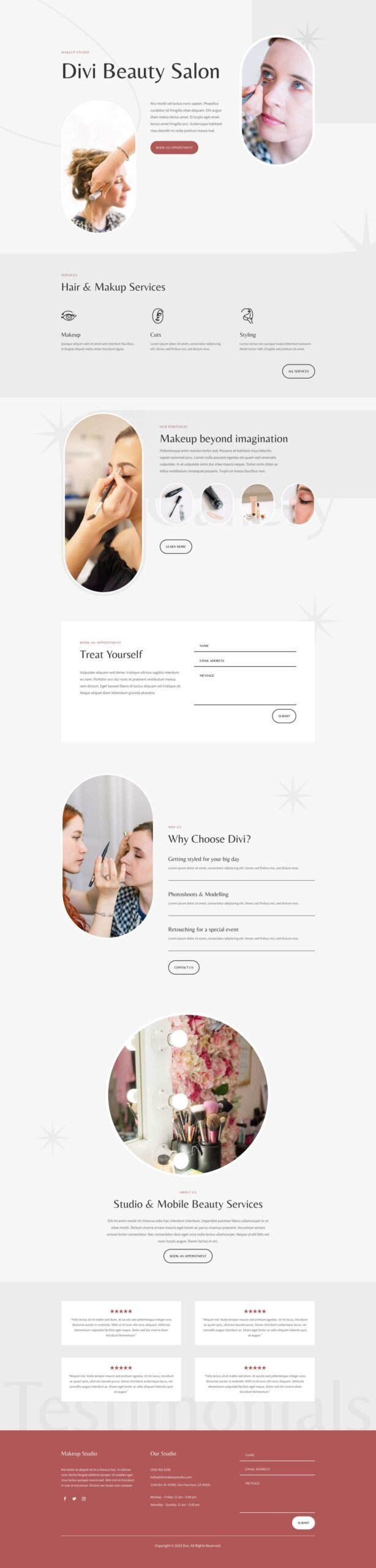
How to Use Google Analytics to Track Service Inquiry Calls and Bookings Accurately?
Our SEO sparkle squad will elevate your Google glow, securing prime positions for searches like “best hair salon Melbourne” or “nail technician Perth.” Wave goodbye to fading into the filter fog and hello to organic bookings from Canberra’s chic circles or the Gold Coast’s beachy babes!
We’ll beautify your social media with a flirty flair on Instagram and Facebook: stunning before-and-afters, trend-tip reels, and client glow-ups that rack up hearts and hashtags. It’s your spotlight to strut as the ultimate beauty beacon in vibes from Hobart’s heritage haunts to Darwin’s daring divas.
For that instant appointment rush? Our Google Ads and Facebook Ads are precision-preened, honing in on Aussie style stars with savvy, sparkle-smart campaigns that amp up walk-ins and trim the wait—crafted for bustling beauty blocks in Sydney and Melbourne.
We’re your bubbly beauty boosters, all about results that let you unleash the magic of makeovers. Ready for a fun facetime chat over virtual mimosas? Head to our website—let’s polish your salon into a client sensation together!


