

Table of Contents
Are you a Melbourne-based bistro owner struggling to quantify the impact of your online marketing efforts on your actual foot traffic? In today’s competitive culinary landscape, understanding how your digital presence translates into physical customers is paramount. At PKRank, a leading digital marketing firm rooted here in Melbourne, we specialise in helping businesses like yours thrive by leveraging powerful data. This article will delve deep into a critical, yet often overlooked, aspect of digital marketing analytics: how to use Google Analytics to track walk-in customers generated from online searches.
The challenge for many bistros is bridging the gap between a potential customer performing a Google search and them actually walking through your door. While online sales and website conversions are relatively straightforward to track, attributing a physical visit to a specific online search can feel like an elusive goal. However, with the right strategy and a judicious application of Google Analytics, this is not only possible but also incredibly valuable for refining your marketing spend and optimising your customer acquisition strategies.
We understand the unique pressures and opportunities faced by Melbourne’s vibrant hospitality sector. Many of you pour your heart and soul into creating an exceptional dining experience, but without a clear picture of what’s driving that experience for new customers, your marketing efforts might be misdirected or underperforming. This is where data-driven insights, powered by tools like Google Analytics, become your secret weapon.
Understanding the Nuance of Walk-In Traffic
Before we dive into the technicalities of Google Analytics, it’s crucial to acknowledge the inherent complexity of tracking walk-in customers. Unlike e-commerce transactions where a purchase is directly linked to a website session, a walk-in customer often represents a more indirect conversion. They might have seen your Instagram post, read a review, or simply encountered your business while searching for “best pasta Melbourne” or “cafes near me.” The journey from online discovery to physical presence is rarely a single click.
The key differentiator is the intent. When someone searches for your business name directly, it’s a strong indicator of existing awareness or prior interaction. However, tracking customers who discover you through broader search terms requires a more nuanced approach. This is where the power of Google Analytics’ segmentation, goal setting, and advanced reporting comes into play. It allows us to infer and approximate the impact of specific online activities on physical visits.
The Foundation Setting Up Google Analytics Correctly
The first and perhaps most fundamental step in tracking anything in Google Analytics is ensuring it’s set up correctly. For a bistro, this means having the tracking code installed on every page of your website. This isn’t just about gathering basic visit data; it’s about laying the groundwork for more sophisticated analysis later.
Ensure your Google Analytics account is properly configured with the correct timezone (Melbourne time, of course!), currency, and any relevant industry categories. If you’re using Google Tag Manager, ensure it’s implemented properly and that your Analytics tags are firing as expected. Basic setup errors can render even the most advanced tracking techniques inaccurate.
Furthermore, consider the user experience on your website. Is it mobile-friendly? Is your address and phone number easily visible? These elements are crucial for walk-in customers, and their prominence on your site can influence their decision to visit. Google Analytics can help you understand how users interact with these key pieces of information.
Tracking Website Interactions That Lead to Visits
While Google Analytics can’t directly “see” someone walk into your bistro, it can meticulously track user behaviour on your website that strongly correlates with a physical visit. This involves identifying and setting up goals that represent actions a potential customer would take before visiting.
Clicking Your Phone Number (Click-to-Call)
For mobile users, the ability to click a phone number and initiate a call is a significant step towards conversion. Setting up an event in Google Analytics to track clicks on your phone number is relatively straightforward. When a user clicks your phone number on your website, this event fires. This action often indicates a strong intention to inquire about a reservation, opening hours, or to place a takeaway order—all precursors to a physical visit.
To set this up, you’ll typically use Google Tag Manager. You’ll create a trigger for clicks on elements with a specific `href` attribute starting with `tel:`. Then, you’ll create a Google Analytics event tag that fires when this trigger is activated. Label these events clearly, such as “Click-to-Call”.
Viewing Your Location and Directions
Another powerful indicator of intent is when users go out of their way to find your location. This can be tracked in a few ways. Firstly, if you have a dedicated “Contact Us” or “Location” page that prominently displays your address, setting this page view as a conversion goal is essential.
Secondly, and more advanced, you can track clicks on embedded Google Maps. If you’ve embedded a Google Map on your website, you can set up events to track clicks on the map itself or on the “Directions” link within the map. This signifies a user actively looking to navigate to your establishment.
The setup for map interactions often involves JavaScript code on your website and corresponding event tracking in Google Tag Manager. The goal here is to identify users who are not just browsing but actively seeking practical information for visiting.
Downloading Your Menu
For many bistros, the menu is a primary draw. If you offer your menu as a downloadable PDF, tracking these downloads as conversions is a critical step. A user downloading your menu is often in the consideration phase and is seriously evaluating your offerings before deciding to visit.
In Google Tag Manager, you would create a trigger for clicks on links pointing to PDF files (or a specific menu PDF file). Then, you’d configure a Google Analytics event tag to record this as a download event. Label this clearly, for example, “Menu Download”.
Submitting a Contact Form or Reservation Request
This is a direct conversion, but it’s crucial to track how users arriving from online searches engage with these forms. If a user finds you through a Google search and then fills out a reservation form, that’s a clear pathway to a physical visit.
Ensure all your contact and reservation forms are set up with conversion tracking in Google Analytics. This is usually achieved by triggering a Google Analytics pageview or event upon successful form submission. The key is to attribute these submissions back to the traffic source that brought the user to your site.
Segmenting Your Data for Actionable Insights
Once you have these events and goals set up, the real power lies in segmenting your data. Google Analytics allows you to slice and dice your audience and their behaviour in myriad ways. For tracking walk-in potential from online searches, the following segments are invaluable.
Organic Search Traffic
This is your primary focus for “customers from online searches.” Segmenting your data to view only users who arrived via organic search results on Google (and other search engines) is the starting point.
Within your Google Analytics reports, navigate to Acquisition > All Traffic > Channels. You’ll see a list of channels, including “Organic Search.” Click on this to isolate the performance of users who found you through unpaid search results. Now, look at the conversions for the goals you’ve set up (phone clicks, map views, menu downloads, form submissions) specifically within this segment.
Google Search Console Integration
While Google Analytics tracks *what* users do on your site, Google Search Console tracks *how* users find you in Google Search. Integrating these two platforms is essential for a comprehensive understanding.
By linking your Google Search Console account to your Google Analytics account (Admin > Product Linking > Search Console Links), you can gain insights into the specific search queries that led users to your website. This allows you to see which keywords are driving traffic that subsequently converts into potential walk-ins (based on your goal completions).
This integration enables you to answer questions like “Which search terms are leading people to download our menu?” or “Which queries are prompting users to click our phone number?” This information is gold for refining your SEO strategy and content creation.
Campaign Tagging for Specific Promotions
While organic search is broad, you might also run specific paid campaigns or have special offers promoted online. Using UTM parameters (Urchin Tracking Module) is crucial for precise attribution. When you share a link to your website on social media, in an email newsletter, or through a paid ad, append UTM parameters to the URL.
For example, a link to a special Easter brunch might look like: `yourwebsite.com/?utm_source=facebook&utm_medium=social&utm_campaign=easter_brunch`. When users click this link, Google Analytics will record the source, medium, and campaign.
This allows you to track how specific campaigns, whether organic discovery or paid, lead to your defined conversion actions. This is invaluable for understanding the ROI of your digital marketing efforts.
Device and Location Segmentation
Consider the device your potential customers are using. More often than not, mobile devices are used for local searches like “restaurants near me.” Segment your data by device (mobile, desktop, tablet) to understand which devices are driving the most valuable interactions leading to potential walk-ins.
Furthermore, if you have a broad geographic target audience, you can segment by location to see which regions are generating the most interest and how that translates into website actions. While this won’t tell you who walked in, it can tell you where your online interest is coming from.
Leveraging Google Maps and Local SEO
For any Melbourne bistro, appearing prominently in local search results is non-negotiable. This is where your Google Business Profile (GBP) plays a critical role, and its integration with Google Analytics, while indirect, is vital.
Google Business Profile Insights
Your Google Business Profile dashboard provides direct insights into how customers find and interact with your business listing. It tells you how many people found you via search, how many viewed your photos, requested directions, or visited your website from your GBP listing.
While these aren’t strictly Google Analytics, they are essential complementary data. If your GBP shows a surge in “Get Directions” requests, and your Google Analytics shows an increase in sessions from your website that result in a “View Location” goal completion originating from your GBP listing (if you’re tracking that specific referral), you have a strong correlation.
Website Referrals from Google Business Profile
Ensure you have your website linked in your Google Business Profile and that this is set up as a referral source in Google Analytics. This allows you to see how many users clicked through to your website directly from your GBP listing. These users are often highly motivated and likely to be considering a visit.
When analysing these referrals, check their behaviour on your website. Are they completing your defined goals? This provides a direct link between your local search visibility and on-site engagement that signals intent to visit.
Attribution Modelling the Customer Journey
Google Analytics offers various attribution models that help you understand how different marketing channels contribute to your conversions. While none directly measure walk-ins, they help you assign credit for goals that *precede* a walk-in.
Common models include:
- Last Click: Attributes 100% of the conversion credit to the last touchpoint before the conversion. For example, if someone searched for “best Italian Melbourne” and then clicked through to your site and downloaded your menu, “Organic Search” gets all the credit for that menu download.
- First Click: Attributes 100% of the credit to the first touchpoint. This helps understand early discovery.
- Linear: Distributes credit equally across all touchpoints in the customer journey.
- Time Decay: Gives more credit to touchpoints closer to the conversion.
- Position Based: Gives more credit to the first and last touchpoints, with the remaining credit distributed linearly in between.
For a bistro, understanding the “First Click” and “Last Click” is particularly insightful. “First Click” helps identify which channels are effective for initial discovery, while “Last Click” indicates what brought the user to your site immediately before they took an action that suggests a visit. Experiment with these models in Google Analytics (Conversions > Multi-Channel Funnels > Attribution Modelling) to see which best reflects your customer journey.
Making Sense of the Data and Taking Action
Collecting data is only half the battle. The real value of Google Analytics lies in interpreting these insights and translating them into actionable strategies for your Melbourne bistro.
Identify Your High-Performing Keywords and Content
Using the Google Search Console integration, pinpoint the keywords that are driving traffic which, in turn, leads to your defined goal completions. If “gluten-free pasta Melbourne” is a search term that consistently leads to menu downloads or phone clicks, that’s a clear signal to create more content around gluten-free options and optimise your website for those terms.
Optimise Your Website for Mobile Users
If your data shows a significant portion of your desired conversions coming from mobile devices, ensure your website is perfectly optimised for mobile. This includes fast loading times, easy navigation, prominently displayed contact information, and a user-friendly menu display.
Refine Your SEO Strategy
Understand which pages on your website are attracting users who go on to complete your goals. This can inform your on-page SEO efforts. For example, if your “About Us” page consistently sees users navigating to your “Location” page, ensure your “About Us” content is engaging and clearly links to your location and contact details.
Evaluate Your Marketing Campaigns
If you’re running social media ads, local directory listings, or email campaigns, use UTM parameters to track their effectiveness. If a specific campaign drives traffic that converts into phone calls or map views, invest more in that channel. Conversely, if a campaign isn’t generating these pre-visit actions, consider reallocating your budget.
Map Online Efforts to Offline Observations
While Google Analytics provides digital clues, don’t discount the importance of observing your physical space. If your analytics show a spike in engagement for a specific promotion running online, and you see a corresponding increase in customers mentioning that promotion at your bistro, you’ve validated your tracking efforts.
Consider implementing a simple question at your point of sale: “How did you hear about us today?” While not as precise as analytics, it can offer qualitative insights that complement your quantitative data.
The PKRank Approach to Analytics-Driven Growth
At PKRank, we understand that for Melbourne’s bistros, the ultimate goal is a full house and happy diners. We believe that digital marketing should directly contribute to this. Our approach is to demystify Google Analytics, transforming complex data into clear, actionable strategies that drive real business results.
We don’t just set up tracking; we help you interpret it. We’ll work with you to define what “success” looks like for your bistro in terms of online-to-offline customer acquisition. Whether it’s increasing phone enquiries, driving directional requests, or boosting menu downloads, we’ll ensure your Google Analytics is configured to measure what matters most.
Our expertise in the Melbourne market means we understand the local search landscape and the competitive pressures you face. We leverage this understanding to build tailored digital marketing strategies that are not only effective but also measurable. By meticulously tracking the online journey that leads to your bistro’s doors, we empower you to make informed decisions, optimise your marketing spend, and ultimately, serve more delighted customers.
Conclusion
Tracking walk-in customers from online searches is a sophisticated process, but it’s an achievable and incredibly rewarding one. By correctly configuring Google Analytics, setting up relevant goals that represent pre-visit intent, and diligently segmenting your data, you can gain invaluable insights into your customers’ online behaviour.
Remember, the key is to attribute actions on your website that strongly correlate with a physical visit, such as phone clicks, map views, menu downloads, and form submissions, back to the online channels that brought users to you, particularly organic search. Integrating with Google Search Console and employing campaign tagging will further refine your understanding of what’s working.
The digital realm offers a treasure trove of data. By harnessing the power of Google Analytics, Melbourne bistros can move beyond guesswork and make data-driven decisions that directly impact their bottom line. At PKRank, we’re passionate about helping businesses like yours unlock this potential. Let us help you turn those online searches into bustling tables and loyal customers.
Empower Your Bistro with PKRank’s Tailored Digital Solutions
Hey there, flavor maestro! Curating cozy corners and crave-worthy plates in Australia’s lively dining scene is your art, but filling those seats night after night? Let’s savor the easy way.
At PKRank, we’re all about dishing out digital marketing that’s warm, welcoming, and wickedly effective for bistro owners like you—whether you’re simmering sauces in Sydney’s harborside haunts, plating fusion in Melbourne’s alley eateries, or firing up grills in Brisbane’s backyard bistros.
Imagine a charming, appetite-whetting website whipped up for your spot, with drool-worthy menus of rustic risottos, fresh seafood specials, or veggie delights, complete with reservation widgets and virtual tours. We’ll make it tablet-tempting and mobile-morsel-ready, so diners from Perth’s portside patios to Adelaide’s wine-country whims can reserve a table from afar.
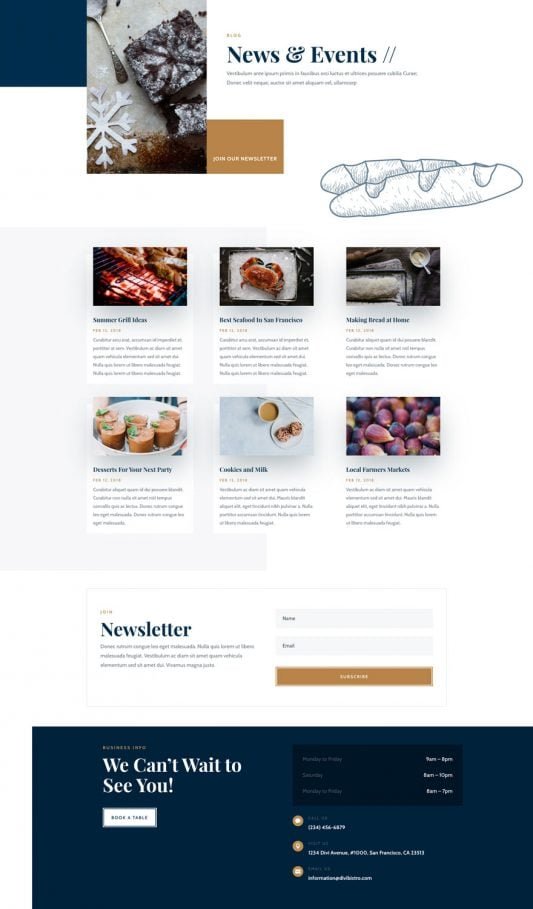
How to Use Google Analytics to Track Walk-In Customers from Online Searches?
Our SEO chefs will spice up your Google ranking, claiming top table for searches like “romantic bistro Melbourne” or “casual dinner Perth.” Skip the side-dish obscurity and draw in organic crowds from Canberra’s cultured connoisseurs or the Gold Coast’s sunset suppers!
We’ll season your social media with savory stories on Instagram and Facebook: sizzling kitchen clips, wine-pairing whispers, and guest gratitude posts that tantalize timelines. It’s your recipe for becoming the local legend in scenes from Hobart’s waterfront wonders to Darwin’s dusk delights.
Hungry for hurried reservations? Our Google Ads and Facebook Ads are flavor-focused, luring Aussie food lovers with clever, calorie-conscious campaigns that pack the house and pare down the empty chairs—suited to sizzling bistro belts in Sydney and Melbourne.
We’re your tasty table-turners for triumph, all about results that let you master the menu. Craving a casual confab over virtual vino? Drop by our website—let’s cook up a feast of success for your bistro together!
Last Updated on January 15, 2026 by PKRank


