

Table of Contents
In today’s competitive automotive repair landscape, understanding where your service inquiries originate is crucial for auto repair shops. Phone calls remain a primary conversion point for potential customers seeking urgent repairs or maintenance services. Google Analytics, a powerful free tool, allows you to track these calls accurately, attributing them to specific marketing campaigns, website pages, or search terms. This insight enables data-driven decisions to optimize your digital marketing efforts and boost your Melbourne-based auto repair business.
By integrating call tracking with Google Analytics, you can measure the ROI of your Google Ads, SEO efforts, and social media campaigns precisely. For instance, discover if a blog post on brake repairs or a targeted Facebook ad drives more calls than expected. This article guides you through the process step by step, tailored for auto repair business owners like you.
Why Track Phone Calls in Google Analytics
Traditional analytics often overlook phone interactions, leading to incomplete data. With accurate call tracking, you gain visibility into offline conversions. Imagine knowing exactly which “tyre replacement near me” search led to a call for wheel alignment services. This empowers you to refine ad spend, improve landing pages, and nurture high-value traffic sources.
Transitioning from basic page views to conversion tracking transforms your strategy. Auto repair shops benefit immensely, as 60-70% of mobile users call directly from search results. Next, we’ll explore the foundational setup required.
Setting Up Google Analytics on Your Website
Begin by creating a Google Analytics account if you haven’t already. Sign in at analytics.google.com, set up a property for your auto repair website, and obtain your tracking ID (UA-XXXXX-X or G-XXXXXX for GA4). Install the tracking code on every page using Google Tag Manager for ease, especially if you’re not a developer.
Switch to Google Analytics 4 (GA4) for advanced event tracking, which is ideal for calls. Verify installation via the Real-Time report—visit your site and watch for active users. Once set, proceed to configure events for phone interactions.
Implementing Click-to-Call Tracking
Click-to-call links (tel: protocol) on your website are common for service pages like “oil change specials.” To track clicks turning into calls, set up custom events in GA4. Use Google Tag Manager (GTM) to fire a GA event on tel: link clicks.
Here’s a numbered list of key steps to implement this:
- Install GTM on your site and create a new tag for GA4 events.
- Set the trigger to “Click – All Elements” with conditions matching tel: links (e.g., CSS selector a[href^=”tel:”]).
- Configure the tag to send an event named “phone_call_click” with parameters like page_location and call_number.
- Test in GTM Preview mode, then publish.
- In GA4, mark this as a conversion under Admin > Events.
This setup attributes clicks accurately. However, for true call duration verification, integrate third-party call tracking like CallRail, which feeds data back to GA via server-side tagging.
Building on this, let’s examine UTM parameters for campaign-specific tracking.
Using UTM Parameters for Campaign Attribution
UTM parameters tag your URLs to differentiate traffic sources. Append ?utm_source=google&utm_medium=cpc&utm_campaign=brake-repair to links in ads or emails. For calls, dynamically insert these into phone number links or use microdata for Google Ads call extensions.
In Google Ads, enable call extensions and link your Ads account to GA. Calls over 30 seconds auto-import as conversions. To enhance accuracy, use value tracking—assign monetary values based on average repair ticket sizes, say $500 for engine diagnostics.
Advanced Techniques with Dynamic Number Insertion
Dynamic Number Insertion (DNI) swaps phone numbers based on visitor source using JavaScript. Services like CallTrackingMetrics integrate seamlessly with GA, replacing your static number with trackable ones. Track not just clicks but actual calls, duration, and recordings.
For auto repair sites, display “Call for Emergency Towing” with DNI on mobile-optimized pages. In GA, view reports under Acquisition > Traffic Acquisition, filtering by source/medium. Segment by device—mobile calls often convert higher for services like flat tyre fixes.
To compare tracking methods, refer to the table below:
| Method | Setup Complexity | Accuracy | Cost | Best For |
|---|---|---|---|---|
| Click-to-Call Events | Low | Medium (clicks only) | Free | Basic websites |
| Google Ads Extensions | Medium | High (duration tracked) | Free | Paid campaigns |
| Dynamic Number Insertion | High | Very High (full call data) | Paid ($20+/mo) | Multi-channel tracking |
This table highlights trade-offs; start simple and scale. As you implement, monitor Reports > Engagement > Events for “phone_call” metrics.
Troubleshooting Common Issues
Beware of duplicate tracking from multiple tags. Use GA’s DebugView to spot issues. Ensure GDPR compliance with cookie consent for EU visitors, though Melbourne shops focus locally. Regularly audit via GA’s Tag Assistant.
Finally, leverage PKRank’s expertise. As a Melbourne digital marketing firm specializing in auto repair, we streamline this for you, ensuring pixel-perfect tracking without the hassle.
In conclusion, mastering Google Analytics for phone call tracking revolutionizes your auto repair marketing. From setup to analysis, these steps provide actionable insights, driving more service inquiries and revenue. Implement today, review weekly reports, and watch your bookings soar—your customers are just a tracked call away.
Empower Your Auto Repair Shop with PKRank’s Tailored Digital Solutions
Hey there, wrench wizard! Keeping Aussie wheels turning in our vast, road-loving country is no small feat—from dusty outback drives to city commutes—but what if your shop could rev up clients without the extra grease?
At PKRank, we’re geared toward making digital marketing smooth, welcoming, and turbo-charged for auto repair pros like you, whether you’re fixing fleets in Sydney’s traffic jams, tuning classics in Melbourne’s car culture, or servicing SUVs in Brisbane’s suburban sprawl.
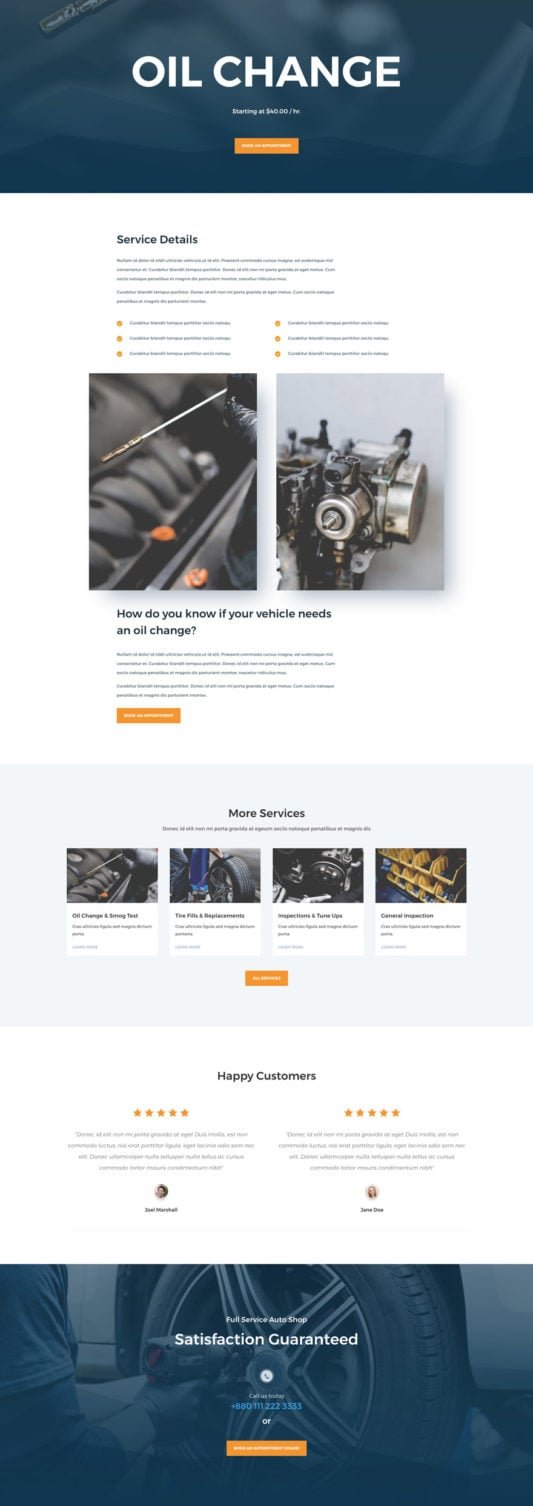
Visualize a robust, easy-to-use website revved up just for you, spotlighting your engine rebuilds, brake overhauls, or diagnostic wizardry with photo galleries, service booking forms, and quick-quote calculators. We’ll make it mobile-optimized, so drivers from Perth’s highway haulers to Adelaide’s vintage vehicle fans can book repairs on the fly, no matter where they are.
Auto Repair Shop Website Showcase
How to Use Google Analytics to Track Service Inquiry Phone Calls Accurately?
Our SEO crew will pump up your Google rank, putting you front and center for searches like “auto mechanic Melbourne” or “tyre repair Perth.” Ditch the back-page blues and attract steady organic roll-ins from Canberra’s commuter crews or the Gold Coast’s beach buggy brigade!
We’ll steer your social media with a matesy vibe on Facebook and Instagram: fun before-and-after pics, quick DIY tips, and customer shoutouts that get likes and shares rolling. It’s your ticket to becoming the trusted pit stop in neighborhoods from Hobart’s hilly hauls to Darwin’s rugged rides.
For that instant tow-in boost? Our Google Ads and Facebook Ads are finely tuned, targeting breakdown-prone Aussies with smart, spend-savvy setups that crank up calls and curb the downtime—spot-on for busy repair hubs in Sydney and Melbourne.
We’re your reliable pit crew for growth, all about results that keep you under the hood doing what you do best. Up for a no-pressure chat over virtual espressos? Pop over to our website—let’s get your shop shifting into high gear together!


