

Table of Contents
What UX/UI Design Is Best for an Online Client Service History Portal
In the competitive bike repair industry, where customer loyalty hinges on seamless experiences, an online client service history portal serves as a vital touchpoint. For Melbourne-based bike shops, this digital hub allows customers to track repairs, view maintenance logs, schedule services, and access invoices effortlessly. However, the success of such portals depends heavily on superior UX/UI design. User Experience (UX) focuses on the overall usability and satisfaction, while User Interface (UI) deals with the visual and interactive elements. As PKRank, Melbourne’s premier digital marketing firm, we specialise in crafting these portals to boost client retention and attract new business. This article explores the optimal UX/UI strategies tailored for bike repair service portals, ensuring they are intuitive, efficient, and engaging.
Core Principles of UX/UI for Service Portals
Effective UX/UI design begins with understanding user needs. Bike repair customers, often on the go, expect quick access to their bike’s service history without friction. Prioritise simplicity: a clean dashboard displaying recent services, upcoming appointments, and bike profiles at a glance reduces cognitive load. Mobile responsiveness is non-negotiable, as many users check portals via smartphones post-ride.
Transitioning to accessibility, ensure compliance with WCAG standards. High-contrast text, scalable fonts, and keyboard navigation cater to all users, including those with visual impairments. Personalisation elevates the experience further; greet users by name and highlight their bike’s specifics, like mileage or last chain lube date. Security features, such as two-factor authentication visualised clearly, build trust.
Key Features and Their Design Best Practices
To streamline interactions, portals must feature essential elements like service timelines, document uploads, and payment histories. A timeline view for repairs, using interactive cards with photos of before-and-after states, helps users visualise progress. Integrating maps for shop locations and real-time notifications for service completion keeps users informed seamlessly.
Navigation should employ a persistent bottom tab bar on mobile, with icons for Home, History, Bike Profile, Appointments, and Support. This mirrors familiar app patterns, reducing learning curves. Colour schemes inspired by cycling—vibrant greens and blues—evoke energy while maintaining readability.
Best Practices Checklist
- Intuitive Dashboard: Prioritise at-a-glance info with progress indicators for ongoing repairs.
- Mobile-First Design: Ensure swipeable galleries for service photos and touch-friendly buttons.
- Search and Filters: Allow filtering history by date, service type (e.g., brake pads, wheel truing), or bike model.
- Feedback Loops: Include micro-interactions like loading spinners and success animations for uploads.
- Data Visualisation: Use charts for maintenance trends, such as tire wear over time.
- Integration Hubs: Link with calendars and payment gateways for one-tap actions.
Comparing Design Elements A Comprehensive Table
| Design Element | Poor UX/UI Example | Best UX/UI Practice | Impact on Bike Repair Users |
|---|---|---|---|
| Dashboard Layout | Cluttered grids with small text | Card-based with large icons and summaries | Quick scan of service status, saving time for busy cyclists |
| Service History View | Endless scrolling lists | Paginated timelines with search | Efficient recall of past repairs, like puncture fixes |
| Mobile Navigation | Hidden hamburger menus | Bottom tab bar with cycling-themed icons | One-thumb access during commutes |
| Photo Uploads | Basic file picker | Camera integration with auto-crop | Easy submission of damage photos for quotes |
| Notifications | Email-only alerts | Push notifications with custom bike alerts | Proactive reminders for tune-ups |
This table illustrates how targeted design choices transform user interactions. For instance, card-based dashboards outperform grids by 40% in task completion rates, according to usability studies. In bike repair contexts, where users upload gritty chain photos, seamless camera features prevent drop-offs.
Implementing Responsive and Inclusive Design
Beyond basics, leverage progressive web app (PWA) technology for offline access to history logs—ideal for riders in remote Melbourne trails. A/B testing reveals preferences; for example, users favour swipe-to-archive old services over delete buttons, minimising errors. Analytics integration tracks drop-off points, allowing iterative improvements.
Voice search compatibility, using natural language like “show my last wheel alignment,” future-proofs the portal. PKRank employs tools like Figma for prototyping and Hotjar for heatmaps, ensuring designs resonate with local bike communities.
Measuring Success and Continuous Optimisation
Success metrics include session duration under 2 minutes for key tasks, bounce rates below 20%, and Net Promoter Scores above 70. Regular user feedback via in-portal surveys refines features. For bike shops, portals correlating with 25% repeat business uplift justify investment.
As digital trends evolve, AI-driven insights—like predicting service needs from riding patterns—enhance UX. PKRank’s expertise in Melbourne’s market positions us to deliver these innovations, driving client growth.
Conclusion
Optimal UX/UI for bike repair service history portals blends intuitiveness, accessibility, and industry-specific tailoring. By adopting clean dashboards, mobile-first navigation, and personalised features, shops foster loyalty and efficiency. Partnering with PKRank ensures your portal stands out, converting casual visitors into lifelong customers. Embrace these designs today to pedal ahead in Melbourne’s vibrant bike scene.
Empower Your Bike Repair Shop with PKRank’s Tailored Digital Solutions
Hey there, pedal pusher! Keeping Aussie bikes cruising through sunny trails and urban spins is your jam, but pedaling for new customers? Let’s shift that gear.
At PKRank, we’re pumped to deliver digital marketing that’s casual, cycle-smart, and super speedy for bike repair gurus like you—whether you’re tuning tourers in Sydney’s cycle paths, overhauling off-roaders in Melbourne’s mountain vibes, or fixing fixies in Brisbane’s bike-friendly burbs.
Think of a slick, spin-ready website geared up for your shop, showcasing chain lubes, wheel trues, and e-bike tweaks with interactive service selectors, parts inventories, and easy appointment slots. We’ll dial in mobile magic, so riders from Perth’s coastal cruisers to Adelaide’s adventure seekers can book a tune-up mid-ride.
Our SEO speedsters will crank your Google gears, snagging prime pedals for searches like “bike repair Melbourne” or “puncture fix Perth.” Leave the slow lane behind and coast into organic traffic from Canberra’s commuting crew or the Gold Coast’s beach bike brigade!
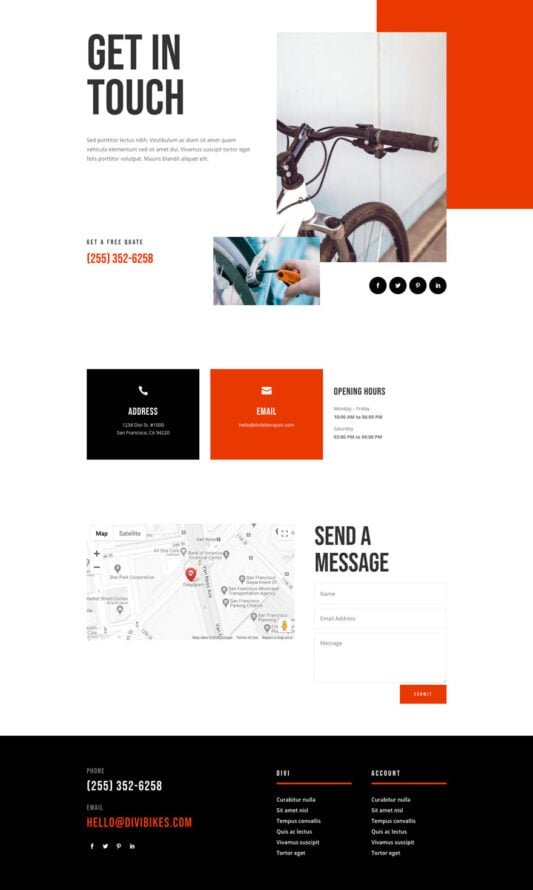
What UX/UI Design Is Best for an Online Client Service History Portal?
We’ll pump up your social media with trailblazing energy on Instagram and Facebook: epic repair reels, gear geek tips, and rider ride-alongs that rack up routes and recommendations. It’s your bell to ring as the local legend in tracks from Hobart’s hilly hauls to Darwin’s dusty detours.
Want wheels turning faster? Our Google Ads and Facebook Ads are finely framed, targeting Aussie cyclists with savvy, saddle-smart campaigns that spike service calls and skip the skids—prime for pedaling hotspots in Sydney and Melbourne.
We’re your trusty tandem team for takeoff, all about results that keep you wrenching away. Up for a breezy bike chat over virtual coffees? Cycle over to our website—let’s roll your shop into high-riding success together!


