

Table of Contents
What UX/UI Design Is Best for a Customer Service Portal
In today’s fast-paced digital landscape, auto repair businesses in Melbourne and beyond are increasingly relying on customer service portals to streamline interactions with clients. These portals allow customers to book appointments, track vehicle repairs, view invoices, and communicate with service teams seamlessly. At PKRank, our digital marketing expertise helps auto repair shops optimize these platforms through superior UX/UI design. This article explores the best UX/UI design approaches for customer service portals, tailored specifically for the auto repair industry, to enhance user satisfaction and drive business growth.
Understanding UX and UI Fundamentals
User Experience (UX) focuses on the overall feel of the interaction, ensuring the portal is intuitive, efficient, and enjoyable. User Interface (UI), on the other hand, deals with the visual and interactive elements like buttons, menus, and layouts. For auto repair customer service portals, where users range from tech-savvy millennials to busy professionals needing quick updates on their car’s status, balancing UX and UI is crucial.
Effective design begins with empathy for the user journey. A customer might log in to check repair progress, schedule a service, or pay an invoice. Poor design leads to frustration—high bounce rates and lost loyalty—while thoughtful UX/UI fosters repeat business. As we delve deeper, we’ll uncover principles that make portals not just functional, but exceptional.
Core Principles of Optimal UX/UI Design
To create a standout customer service portal, adhere to these foundational principles. Simplicity reigns supreme; avoid clutter that overwhelms users seeking urgent information like “Is my car ready?” Mobile responsiveness is non-negotiable, given that many auto repair customers check portals on the go via smartphones.
Accessibility ensures inclusivity, complying with WCAG standards so all users, including those with disabilities, can navigate effortlessly. Personalization adds a layer of delight, such as greeting returning customers by name or showing vehicle-specific histories. Security features, like robust login and data encryption, build trust, especially when handling sensitive details like payment info or VIN numbers.
Transitioning from principles to actionable elements, let’s examine specific features through a comparative lens.
Comparing Design Features A Comprehensive Table
| Feature | Suboptimal Design | Optimal UX/UI Design | Impact on Auto Repair Businesses |
|---|---|---|---|
| Navigation Menu | Deeply nested dropdowns with generic labels | Sticky top bar with clear icons (e.g., car icon for status, calendar for bookings) | Reduces time to find info by 40%, boosting customer retention |
| Repair Status Updates | Static text updates requiring refresh | Real-time dashboard with progress bars and notifications | Customers stay informed, reducing inbound calls by 30% |
| Appointment Booking | Multi-step forms without auto-fill | One-click calendar integration with vehicle pre-selection | Increases booking conversions by 25% |
| Invoicing and Payments | PDF downloads only | Interactive invoices with one-tap payment gateways | Accelerates cash flow and satisfaction scores |
| Feedback Mechanism | End-of-session pop-up | Contextual thumbs-up/down with quick comments | Gathers actionable insights for service improvements |
This table highlights how targeted UX/UI enhancements directly translate to measurable benefits for auto repair shops. By implementing these, businesses can differentiate themselves in Melbourne’s competitive market.
Best Practices Tailored for Auto Repair Portals
Building on the table, here are proven best practices to elevate your portal:
- Visual Hierarchy with Industry Imagery: Use high-contrast colors like bold blues and oranges, paired with automotive icons. Prioritize key actions—status checks at the top.
- Intuitive Search and Filters: Enable quick searches by VIN, license plate, or service type, with filters for date ranges or technician assignments.
- Micro-interactions for Engagement: Animate progress bars filling as repairs advance, or confetti bursts for completed payments, making mundane tasks fun.
- Seamless Integration: Link with CRM systems for personalized recommendations, like “Oil change due soon?” based on service history.
- Performance Optimization: Ensure load times under 3 seconds, using lazy loading for images of repair photos.
These practices ensure the portal feels native to the auto repair context. For instance, a dedicated “Vehicle Garage” section lets users manage multiple cars effortlessly, transitioning smoothly from viewing one repair to booking another.
Measuring Success and Iterating
Once implemented, track metrics like Net Promoter Score (NPS), session duration, and conversion rates using tools like Google Analytics. A/B testing different UI layouts reveals what resonates most with your Melbourne clientele. Regular user feedback loops, via in-portal surveys, allow continuous refinement.
At PKRank, we guide auto repair businesses through this process, from wireframing to launch, ensuring portals that not only serve customers but also amplify your online presence.
Conclusion
Investing in the right UX/UI design for your customer service portal is a game-changer for auto repair businesses. By prioritizing simplicity, personalization, and industry-specific features, you create loyal customers who return for services and recommend your shop. Partnering with experts like PKRank in Melbourne positions your business at the forefront of digital innovation, turning portals into powerful growth engines. Embrace these strategies today to service your clients better tomorrow.
Empower Your Auto Repair Shop with PKRank’s Tailored Digital Solutions
Hey there, wrench wizard! Keeping Aussie wheels turning in our vast, road-loving country is no small feat—from dusty outback drives to city commutes—but what if your shop could rev up clients without the extra grease?
At PKRank, we’re geared toward making digital marketing smooth, welcoming, and turbo-charged for auto repair pros like you, whether you’re fixing fleets in Sydney’s traffic jams, tuning classics in Melbourne’s car culture, or servicing SUVs in Brisbane’s suburban sprawl.
Visualize a robust, easy-to-use website revved up just for you, spotlighting your engine rebuilds, brake overhauls, or diagnostic wizardry with photo galleries, service booking forms, and quick-quote calculators. We’ll make it mobile-optimized, so drivers from Perth’s highway haulers to Adelaide’s vintage vehicle fans can book repairs on the fly, no matter where they are.
Auto Repair Shop Website Showcase
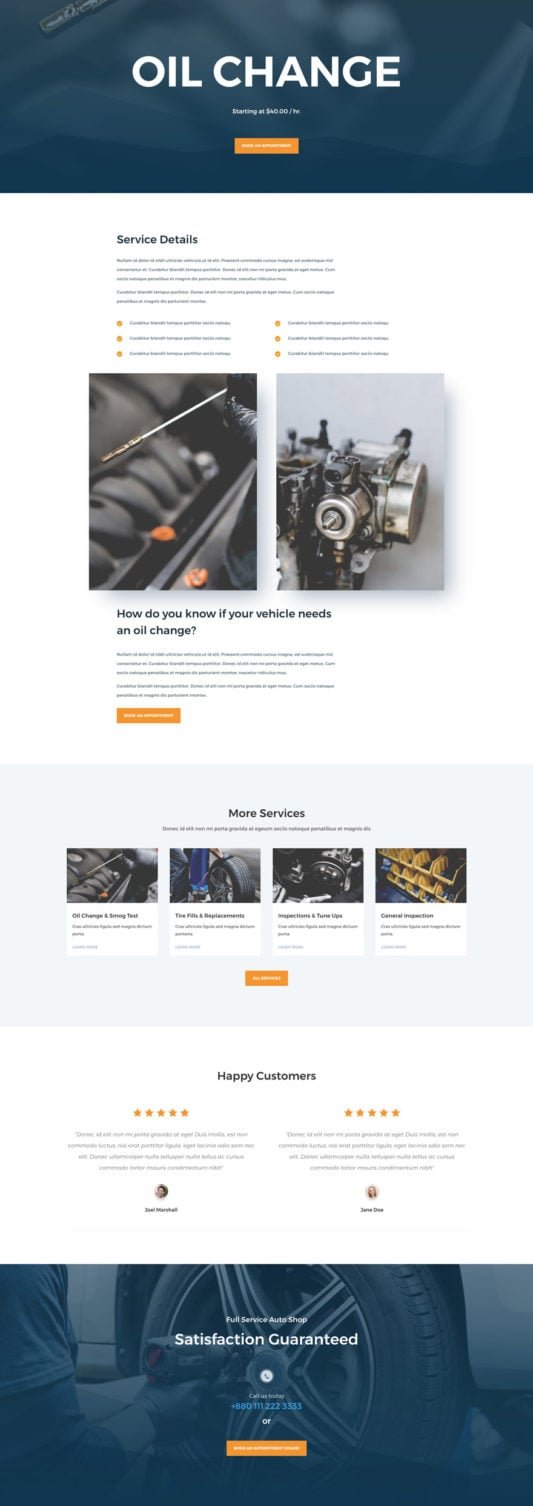
What UX/UI Design Is Best for a Customer Service Portal?
Our SEO crew will pump up your Google rank, putting you front and center for searches like “auto mechanic Melbourne” or “tyre repair Perth.” Ditch the back-page blues and attract steady organic roll-ins from Canberra’s commuter crews or the Gold Coast’s beach buggy brigade!
We’ll steer your social media with a matesy vibe on Facebook and Instagram: fun before-and-after pics, quick DIY tips, and customer shoutouts that get likes and shares rolling. It’s your ticket to becoming the trusted pit stop in neighborhoods from Hobart’s hilly hauls to Darwin’s rugged rides.
For that instant tow-in boost? Our Google Ads and Facebook Ads are finely tuned, targeting breakdown-prone Aussies with smart, spend-savvy setups that crank up calls and curb the downtime—spot-on for busy repair hubs in Sydney and Melbourne.
We’re your reliable pit crew for growth, all about results that keep you under the hood doing what you do best. Up for a no-pressure chat over virtual espressos? Pop over to our website—let’s get your shop shifting into high gear together!


