

Table of Contents
How Do I Check If My Restaurant Website Passes Google’s Core Web Vitals
As a digital marketing firm based in Melbourne, PKRank understands the unique challenges and opportunities faced by businesses in the vibrant hospitality sector. We’ve seen firsthand how a well-crafted online presence can transform a local bistro from a hidden gem into a go-to destination. In today’s digital-first world, your restaurant’s website is often the very first interaction a potential diner has with your brand. It’s your virtual storefront, your menu, your booking portal, and your story all rolled into one. But simply having a website isn’t enough. For your restaurant to truly shine online and attract new patrons, it needs to be discoverable, engaging, and, crucially, performant.
Google, the undisputed king of search, plays a pivotal role in how people find restaurants. They are constantly evolving their algorithms to provide users with the best possible experience. One of the most significant recent shifts has been the introduction of Core Web Vitals. These are a set of specific metrics that Google uses to measure the user experience of a webpage. If your restaurant website doesn’t meet Google’s standards for Core Web Vitals, it can significantly impact your search engine rankings, meaning fewer potential customers will find you when they’re searching for their next meal.
At PKRank, we are dedicated to helping Melbourne’s bistros not just survive, but thrive in the digital landscape. We believe that understanding and optimizing for Core Web Vitals is no longer a technical nice-to-have; it’s a fundamental necessity for any restaurant looking to connect with hungry diners online. This article is designed to demystify Core Web Vitals, explain why they are so crucial for your restaurant’s online success, and, most importantly, provide you with practical, actionable steps to check if your website is passing these essential Google metrics. Let’s dive in and ensure your virtual restaurant doors are wide open to opportunity.
Understanding Core Web Vitals
Before we delve into how to check if your restaurant website is passing Google’s Core Web Vitals, it’s essential to understand what they actually are. Google introduced Core Web Vitals as part of its broader Page Experience signals, aiming to quantify and improve the overall user experience on the web. Think of them as the key performance indicators for your website’s user-friendliness and speed. They are not just technical jargon; they directly translate into how quickly your website loads, how interactive it is, and how visually stable it remains as it loads.
There are three primary Core Web Vitals, each focusing on a different aspect of the user experience:
Largest Contentful Paint (LCP): This metric measures how long it takes for the largest content element (typically an image or a block of text) within the viewport to become visible. For a restaurant website, this could be your hero image, a prominent menu item image, or a large header graphic. A fast LCP means your visitors can quickly see the most important visual content on your page, giving them an immediate sense of what your restaurant offers. Google considers an LCP of 2.5 seconds or less to be good.
First Input Delay (FID): This metric measures the time from when a user first interacts with your site (e.g., clicking a button, a link, or a form input) to the time when the browser is actually able to begin processing that interaction. A low FID is crucial for a restaurant website, as users will likely be interacting with it to view the menu, make a reservation, or click on contact details. A long FID can make your website feel sluggish and unresponsive, leading to frustration and potential abandonment. Google considers an FID of 100 milliseconds or less to be good.
Cumulative Layout Shift (CLS): This metric measures the sum of all unexpected layout shifts that occur during the entire lifespan of the page. This means if elements on your page move around unexpectedly as it loads, pushing content around and making it difficult to click on the intended element, your CLS score will be poor. For a restaurant website, this can be incredibly annoying. Imagine trying to click on a “Book Now” button, only for it to jump down the page just as you’re about to click. A stable layout ensures a smooth and predictable browsing experience. Google considers a CLS of 0.1 or less to be good.
These three metrics work together to provide a holistic view of how users perceive the speed and responsiveness of your website. Google uses them as a ranking factor, meaning that websites that perform well in Core Web Vitals are more likely to rank higher in search results, making them more visible to potential customers. For a restaurant in a competitive market like Melbourne, this visibility is paramount.
Why Core Web Vitals Matter for Your Restaurant
The importance of Core Web Vitals for your restaurant website cannot be overstated. In the fast-paced world of online search and immediate gratification, user experience is king. For bistros and restaurants, this translates directly into tangible business outcomes. Let’s break down why excelling in Core Web Vitals is critical for your establishment.
Improved Search Engine Rankings: As mentioned, Google explicitly uses Core Web Vitals as a ranking factor. This means that if your website is slow to load, unresponsive, or has a constantly shifting layout, it will be penalized in search results. For a local restaurant, this could mean appearing on the second page of Google when someone searches for “best Italian restaurants near me,” effectively pushing you out of sight for potential diners. Conversely, a well-optimized website with excellent Core Web Vitals scores will be more likely to rank higher, attracting more organic traffic.
Enhanced User Experience and Reduced Bounce Rates: Imagine a potential customer searching for a restaurant for their evening meal. They find your listing, click through to your website, and then… nothing. The page takes ages to load, or the menu is unreadable because images are still popping in. They get frustrated and click back to the search results, heading to a competitor. This is a lost customer. A positive user experience, driven by fast loading times and a stable layout, encourages visitors to stay on your site longer, explore your menu, view your gallery, and ultimately, make a reservation. Low bounce rates (the percentage of visitors who leave your site after viewing only one page) are a strong indicator of user satisfaction.
Increased Conversion Rates: For a restaurant, a “conversion” typically means a successful reservation, a completed online order, or a filled-out contact form. If your website is difficult to navigate, slow to respond, or visually unstable, users are less likely to complete these desired actions. A smooth and intuitive experience that allows them to quickly find information and complete tasks will naturally lead to more bookings and orders. Think about the user journey: they want to see the menu, check opening hours, and book a table. If each of these steps is a struggle, they will look elsewhere.
Mobile-First Importance: A significant portion of restaurant searches are conducted on mobile devices. Core Web Vitals are particularly critical on mobile, where internet speeds can be more variable and screen real estate is limited. A website that performs poorly on mobile will alienate a huge segment of your potential customer base. Google’s mobile-first indexing means they primarily use the mobile version of your content for indexing and ranking. Therefore, ensuring your website is optimized for mobile Core Web Vitals is non-negotiable.
Brand Perception: A slow, clunky, or unreliable website can inadvertently damage your restaurant’s brand perception. It can signal a lack of attention to detail or an outdated approach, which can rub off on the perception of your food and service. Conversely, a fast, professional, and user-friendly website reflects positively on your brand, suggesting efficiency, quality, and modernity.
In essence, Core Web Vitals are directly tied to your restaurant’s bottom line. By addressing them, you’re not just performing technical SEO; you’re investing in a better customer acquisition strategy that drives more diners to your tables.
Tools to Check Your Core Web Vitals
Now that you understand what Core Web Vitals are and why they are critical for your Melbourne restaurant’s online success, the next logical step is to find out how your website is performing. Fortunately, Google provides several free and accessible tools that allow you to easily measure your Core Web Vitals. These tools offer insights into your site’s performance and highlight areas that need improvement. For restaurant owners, these are invaluable resources for understanding their digital footprint.
1. Google PageSpeed Insights:
PageSpeed Insights is arguably the most popular and user-friendly tool for checking Core Web Vitals. It analyzes the content of a web page and provides feedback on how to make that page faster. Beyond the Core Web Vitals, it also offers suggestions for optimization based on best practices. Here’s how to use it:
a. Open your web browser and go to PageSpeed Insights.
b. In the input field, enter the URL of your restaurant’s website (e.g., yourrestaurant.com.au).
c. Click the “Analyze” button.
d. The tool will then present you with a performance score out of 100 for both mobile and desktop versions of your website. Crucially, it will detail your Core Web Vitals – LCP, FID, and CLS – along with their current status (Good, Needs Improvement, or Poor).
e. Below the Core Web Vitals section, you’ll find detailed recommendations for improvement. These often include suggestions such as optimizing images, reducing JavaScript execution time, and eliminating render-blocking resources.
2. Google Search Console (Core Web Vitals Report):
While PageSpeed Insights gives you a snapshot of a single URL, Google Search Console provides a broader, more ongoing view of your website’s performance across your entire site. If you haven’t already, you’ll need to verify ownership of your website with Search Console. Once set up, the Core Web Vitals report offers valuable insights:
a. Log in to your Google Search Console account.
b. Navigate to “Core Web Vitals” in the left-hand menu.
c. This report categorizes your URLs into three quality statuses: “Good URLs,” “URLs needing improvement,” and “Poor URLs,” based on their Core Web Vital metrics over a specific period.
d. You can click on each category to see the specific URLs that fall into them and the metrics contributing to their status. This helps you identify problematic pages across your entire website, not just the homepage. For a restaurant, this could mean individual menu pages, your contact page, or special offer pages.
e. Search Console also provides an “Origin Summary” showing if your entire website meets the Core Web Vitals criteria.
3. Chrome User Experience Report (CrUX):
The Chrome User Experience Report, often referred to as CrUX, is the data source for PageSpeed Insights and the Core Web Vitals report in Search Console. While you won’t typically use CrUX directly as an end-user, understanding that this is the real-world data Google collects about your users’ experience can be insightful. You can access CrUX data via BigQuery, but this is more for advanced users and developers.
4. WebDev’s Lighthouse Tool (in Chrome DevTools):
For a more technical deep dive, Google’s Lighthouse tool, which is built into Chrome’s developer tools, can be used. Lighthouse audits your page for performance, accessibility, progressive web apps, SEO, and more, including Core Web Vitals. Here’s how to access it:
a. Open your restaurant website in Google Chrome.
b. Right-click anywhere on the page and select “Inspect” or press F12 (or Ctrl+Shift+I / Cmd+Option+I).
c. In the Developer Tools panel that appears, click on the “Lighthouse” tab.
e. Click “Analyze.” f. Lighthouse will then provide a detailed report, including your Core Web Vitals metrics and actionable recommendations for performance improvements. It’s important to run this in incognito mode to avoid extensions interfering with results. By leveraging these tools, you can gain a clear understanding of your restaurant website’s performance and identify specific areas where improvements are needed to meet Google’s Core Web Vitals standards and, more importantly, provide a delightful experience for your potential customers. Once you’ve run your restaurant website through one of the tools mentioned above, you’ll be presented with a set of metrics and scores. Understanding what these numbers mean is crucial for taking the right corrective actions. Google has provided clear thresholds for what constitutes a “good” experience. Here’s a breakdown of how to interpret your Core Web Vitals results: Largest Contentful Paint (LCP): LCP measures the time it takes for the largest content element to load. Your goal is to have your LCP within 2.5 seconds. For a restaurant website, this often means optimizing the loading of your hero images, large menu images, or prominent background visuals on your homepage or landing pages. First Input Delay (FID): FID measures the responsiveness of your website to user interactions. Your goal is to have an FID of 100 milliseconds or less. FID is often related to JavaScript execution. If your website has too much JavaScript running or it’s not being executed efficiently, it can lead to a high FID. This is critical for restaurants, where users are constantly clicking on things like booking widgets, menu links, and contact buttons. Cumulative Layout Shift (CLS): CLS measures the visual stability of your page. Your goal is to have a CLS of 0.1 or less. For restaurants, common culprits for CLS include un-dimensioned images, ads that pop in suddenly, and dynamically injected content that pushes existing elements around. Imagine trying to read the ingredients of a dish and the text moving just as you focus on it. Overall Site Performance (Google Search Console): In Google Search Console’s Core Web Vitals report, you’ll see an overview of your site’s performance. A “Good” status in Search Console means that the majority of your URLs are meeting the recommended thresholds. “Needs Improvement” suggests that while some URLs are good, a significant number require attention, and “Poor” indicates that most of your URLs are not meeting the standards. Aim for your entire site to be in the “Good” category. What to Do with the Results: Once you have your results, don’t just look at the scores. Pay close attention to the specific recommendations provided by the tools. These often offer actionable advice tailored to your website’s issues. If your results are in the “Needs Improvement” or “Poor” categories, it’s a clear signal that you need to prioritize optimization efforts. This might involve working with your web developer, improving image compression, optimizing code, or reviewing third-party scripts. For a restaurant, ensuring these metrics are met is not just about appeasing Google; it’s about creating an environment where potential customers can easily find the information they need and are encouraged to engage with your brand. Many restaurant websites, especially those built on popular CMS platforms or by non-specialist developers, often fall prey to common pitfalls that negatively impact their Core Web Vitals. At PKRank, we’ve identified several recurring issues that can hinder your site’s performance and drive away potential diners. Understanding these common culprits is the first step to rectifying them. 1. Unoptimized Images: Restaurant websites thrive on visuals. Delicious food photography, inviting interior shots, and appealing branding imagery are essential. However, if these images are not properly optimized for the web, they can significantly slow down your site. Large file sizes directly impact LCP and overall loading speed. The common mistakes include: 2. Excessive and Unoptimized JavaScript: Interactive elements like slideshows, animated menus, online booking widgets, and social media feeds often rely heavily on JavaScript. If this JavaScript is not written efficiently or if there’s too much of it, it can block the browser from rendering the page quickly and responding to user inputs, leading to poor FID and LCP scores. Common issues include: 3. Render-Blocking Resources: This refers to CSS and JavaScript files that the browser must download and process before it can paint content on the screen. If these files are in the `How to Interpret Your Core Web Vitals Results
Common Issues Affecting Restaurant Website Core Web Vitals
4. Inefficient Server Response Time:
The time it takes for your web server to respond to a browser’s request (Time to First Byte or TTFB) is a foundational metric. If your server is slow to respond, everything else is delayed. This can be due to:
- Shared hosting plans that are overloaded.
- Poorly optimized website code or database queries.
- Geographically distant servers from your target audience (though less of an issue for local Melbourne restaurants if the server is well-chosen).
5. Lack of Dimensons for Media and Embeds:
When images, videos, or iframes (like embedded maps) are loaded without explicit width and height attributes, the browser doesn’t know how much space to reserve for them. As these elements load, they can cause text and other content to jump around, resulting in a poor CLS score. This is particularly common with embedded Google Maps or video players.
6. Overuse of Web Fonts and Dynamic Content:
While custom fonts can enhance your brand’s aesthetic, loading too many or very large font files can impact LCP. Similarly, if your website dynamically loads content that shifts the layout (e.g., ads, pop-ups, or content that expands without reserve space), it can lead to CLS issues.
7. Poorly Optimized Themes and Plugins (especially in WordPress):
If your restaurant website is built on WordPress, the choice of theme and plugins is critical. Many themes and plugins are packed with features that might not be relevant to a restaurant and add unnecessary code, JavaScript, and CSS, impacting performance. Cheap or bloated themes are a common culprit.
Identifying these common issues on your restaurant website is the crucial first step. Once you know what the problem areas are, you can start implementing targeted solutions to bring your Core Web Vitals up to scratch, ensuring a superior online experience for your potential diners.
Strategies to Improve Your Restaurant Website’s Core Web Vitals
Knowing your Core Web Vitals and understanding the common issues is only half the battle. The next essential step is to implement effective strategies to improve your scores. For a restaurant, these improvements translate directly into a better user experience, higher search rankings, and ultimately, more customers walking through your doors. At PKRank, we focus on actionable solutions that deliver tangible results.
1. Image Optimization: The Visual Feast Matters
For a restaurant website, images are paramount. Making them work harder without hindering performance is key:
- Compress Images: Use image compression tools (e.g., TinyPNG, ShortPixel) to reduce file sizes without significant loss of quality.
- Use Next-Gen Formats: Employ formats like WebP which offer superior compression and quality compared to JPEGs and PNGs.
- Lazy Loading: Implement lazy loading for images. This means images only load when they are about to enter the user’s viewport, significantly speeding up initial page load. Most modern CMS platforms and frameworks offer this functionality.
- Specify Image Dimensions: Always include `width` and `height` attributes in your `
` tags. This allows the browser to reserve space for the image before it loads, preventing layout shifts (CLS).
- Serve Scaled Images: Ensure images are served in dimensions that are appropriate for their display size. Don’t serve a massive image only to display it as a small thumbnail.
2. Optimize JavaScript and CSS Delivery: Speed Up Responsiveness
Efficiently handling JavaScript and CSS is vital for LCP and FID:
- Minify CSS and JavaScript: Remove unnecessary characters (like whitespace and comments) from your code files to reduce their size.
- Defer or Asynchronously Load JavaScript: Use the `defer` or `async` attributes for JavaScript files that are not critical for the initial page render. This prevents them from blocking the display of content.
- Eliminate Render-Blocking Resources: Critical CSS (the CSS required for above-the-fold content) should be inlined or loaded quickly. Non-critical CSS can be loaded later.
- Code Splitting: For complex JavaScript applications, break down code into smaller chunks that are loaded only when needed.
- Review and Remove Unused Code: Regularly audit your website for themes, plugins, or custom code that is no longer necessary.
3. Improve Server Response Time (TTFB): The Foundation of Speed
A fast server response is crucial:
- Choose a Reputable Hosting Provider: If you’re on a shared hosting plan, consider upgrading to a VPS or a managed WordPress host that offers better performance and resources.
- Leverage Browser Caching: Configure your server to instruct browsers to store static assets (like images, CSS, and JS) locally, so they don’t need to be re-downloaded on subsequent visits.
- Content Delivery Network (CDN): A CDN distributes your website’s static assets across multiple servers globally. When a user visits your site, these assets are served from the server closest to them, reducing latency.
- Database Optimization: If using a CMS like WordPress, regularly clean up your database by removing old revisions, spam comments, and transient options.
4. Optimize Fonts: Aesthetic Without Sacrifice
- Limit Font Families and Weights: Use only the necessary font families and weights.
- Use `font-display: swap;` This CSS property tells the browser to use a fallback font while the custom font is loading, preventing a blank text period and improving perceived performance.
- Self-Host Fonts: If possible, host your fonts directly on your server rather than relying on external services like Google Fonts, which can sometimes add extra connection delays.
5. Address Layout Shifts (CLS): Ensure Stability
- Specify Dimensions for Media and Ads: As mentioned, ensure all images, videos, and ad slots have defined `width` and `height` attributes.
- Avoid Inserting Content Dynamically Above Existing Content: Unless absolutely necessary and thoughtfully implemented with pre-allocated space.
- Preload Critical Resources: Use `` to hint to the browser about important resources that should be fetched early.
6. Optimize Third-Party Scripts: Control External Elements
Third-party scripts (e.g., analytics, marketing pixels, chat widgets) can be major performance bottlenecks. Audit these scripts and:
- Remove Unnecessary Scripts: If a script isn’t providing significant value, remove it.
- Load Scripts Asynchronously or Defer them: Ensure they don’t block page rendering.
- Host Scripts Locally If Possible: Sometimes it’s possible to host certain scripts on your own server for better control.
7. Choose a Performant Theme and Plugins (WordPress Specific):
- Select Lightweight Themes: Opt for themes known for their speed and clean code. Avoid bloated “all-in-one” themes.
- Use Essential Plugins Only: Be selective with plugins. Each plugin adds code and potential overhead. Uninstall any you don’t actively use.
- Keep Software Updated: Ensure your CMS, theme, and plugins are always up to date, as updates often include performance improvements and security patches.
Implementing these strategies requires a combination of technical expertise and an understanding of your restaurant’s specific needs. At PKRank, we help our Melbourne clients navigate these complexities, ensuring their digital presence is not only visually appealing but also incredibly fast and user-friendly.
Working with a Digital Marketing Expert for Your Restaurant
While understanding Core Web Vitals and implementing basic optimizations is within reach for many restaurant owners, the world of digital marketing and website performance is complex and constantly evolving. For many busy restaurateurs in Melbourne, the time and specialised knowledge required to effectively manage and improve these technical aspects can be a significant challenge. This is where partnering with a digital marketing firm like PKRank can make a substantial difference.
What a Digital Marketing Expert Can Do For Your Restaurant:
- In-Depth Technical Audits: We go beyond basic checks. Our team conducts thorough audits of your website, including comprehensive Core Web Vitals analysis, identifying not just the symptoms but the root causes of performance issues. This includes investigating server configurations, code structure, and third-party integrations.
- Tailored Optimization Strategies: We don’t offer one-size-fits-all solutions. Based on our audits, we develop a bespoke strategy specifically for your restaurant’s website. This might involve deep dives into image optimization, efficient content delivery, JavaScript behaviour, and more, all aligned with your business goals.
- Implementation Expertise: For many restaurant owners, the technical implementation of these optimizations can be daunting. Our skilled developers and digital marketers have the expertise to implement these changes effectively, ensuring they are done correctly and without compromising your website’s functionality or design.
- Ongoing Monitoring and Maintenance: The digital landscape is not static. Websites need continuous monitoring to ensure performance remains high and that new issues don’t arise. We provide ongoing support, regular performance checks, and proactive maintenance to keep your website running optimally.
- Holistic Digital Strategy: Core Web Vitals are just one piece of the puzzle. A comprehensive digital marketing strategy also includes SEO, content marketing, social media presence, and paid advertising. P KRank integrates Core Web Vitals optimization into a broader strategy that aims to attract more diners, increase bookings, and build lasting customer loyalty.
- Understanding the Melbourne Market: As a Melbourne-based firm, we have a unique understanding of the local restaurant scene, consumer behaviour, and competitive landscape. This local insight allows us to tailor strategies that resonate with diners in our city.
- Time Savings: Your primary focus is running a successful restaurant. Outsourcing your digital marketing needs to experts like PKRank frees up your valuable time and mental energy, allowing you to concentrate on what you do best – creating exceptional dining experiences.
- Staying Ahead of the Curve: Google’s algorithms and best practices are constantly updated. We stay at the forefront of these changes, ensuring your restaurant remains competitive and visible online without you having to become an expert yourself.
Partnering with PKRank means more than just getting a faster website. It means investing in a robust, high-performing digital presence that acts as a powerful engine for attracting new customers and growing your restaurant business in the thriving Melbourne culinary scene.
Conclusion
In the bustling culinary landscape of Melbourne, standing out requires more than just exceptional food and service; it demands a strong, visible, and user-friendly online presence. Your restaurant website is often the digital handshake that welcomes potential diners, and its performance directly influences their decision to visit. Core Web Vitals – Largest Contentful Paint, First Input Delay, and Cumulative Layout Shift – are no longer technical nuances; they are fundamental pillars of a positive user experience, heavily weighted by Google in its search rankings.
By understanding what Core Web Vitals are, why they matter, and how to check them using tools like Google PageSpeed Insights and Google Search Console, you are taking a significant step towards optimizing your restaurant’s online visibility. We’ve explored common issues like unoptimized images, excessive JavaScript, and render-blocking resources, and discussed actionable strategies to overcome them, from image compression and lazy loading to efficient code delivery and server optimization. These improvements are not merely about technical compliance; they are about creating a seamless, enjoyable journey for your potential customers, from their initial search to their eventual reservation.
For many restaurant owners, navigating the technical complexities of website performance can be a challenge. This is where the expertise of a dedicated digital marketing firm like PKRank becomes invaluable. We understand the nuances of the Melbourne market and are committed to helping bistros like yours leverage the power of a high-performing website. By partnering with us, you gain access to in-depth audits, tailored optimization strategies, expert implementation, and ongoing support, allowing you to focus on what you do best – delighting your diners.
Don’t let a slow or clunky website be the barrier between a potential customer and your delicious cuisine. Take the time to check your Core Web Vitals, implement the necessary solutions, and consider partnering with professionals who can ensure your restaurant’s digital storefront is as inviting and efficient as your dining room. A superior online experience is an investment that will undoubtedly translate into more satisfied customers and a thriving business.
Empower Your Bistro with PKRank’s Tailored Digital Solutions
Hey there, flavor maestro! Curating cozy corners and crave-worthy plates in Australia’s lively dining scene is your art, but filling those seats night after night? Let’s savor the easy way.
At PKRank, we’re all about dishing out digital marketing that’s warm, welcoming, and wickedly effective for bistro owners like you—whether you’re simmering sauces in Sydney’s harborside haunts, plating fusion in Melbourne’s alley eateries, or firing up grills in Brisbane’s backyard bistros.
Imagine a charming, appetite-whetting website whipped up for your spot, with drool-worthy menus of rustic risottos, fresh seafood specials, or veggie delights, complete with reservation widgets and virtual tours. We’ll make it tablet-tempting and mobile-morsel-ready, so diners from Perth’s portside patios to Adelaide’s wine-country whims can reserve a table from afar.
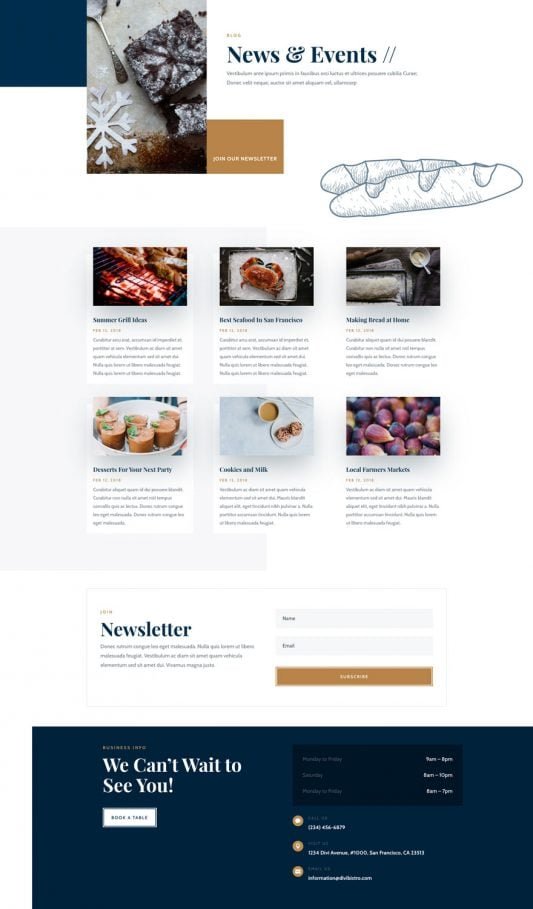
How Do I Check If My Restaurant Website Passes Google’s Core Web Vitals?
Our SEO chefs will spice up your Google ranking, claiming top table for searches like “romantic bistro Melbourne” or “casual dinner Perth.” Skip the side-dish obscurity and draw in organic crowds from Canberra’s cultured connoisseurs or the Gold Coast’s sunset suppers!
We’ll season your social media with savory stories on Instagram and Facebook: sizzling kitchen clips, wine-pairing whispers, and guest gratitude posts that tantalize timelines. It’s your recipe for becoming the local legend in scenes from Hobart’s waterfront wonders to Darwin’s dusk delights.
Hungry for hurried reservations? Our Google Ads and Facebook Ads are flavor-focused, luring Aussie food lovers with clever, calorie-conscious campaigns that pack the house and pare down the empty chairs—suited to sizzling bistro belts in Sydney and Melbourne.
We’re your tasty table-turners for triumph, all about results that let you master the menu. Craving a casual confab over virtual vino? Drop by our website—let’s cook up a feast of success for your bistro together!


