

Table of Contents
What UX/UI Design Is Best for an Online Client Project Portal
In today’s digital landscape, architects rely on online client project portals to streamline communication, showcase designs, and manage timelines effectively. As a Melbourne-based digital marketing firm, PKRank specialises in crafting user-centric digital solutions that elevate architectural practices. This article explores the optimal UX/UI design principles for these portals, ensuring they meet the unique needs of architects and their clients. By prioritising intuitive navigation and visual appeal, such portals can foster stronger client relationships and drive project success.
Understanding UX/UI in Client Project Portals
UX, or User Experience, focuses on the overall feel of the interaction, making sure users accomplish tasks effortlessly. UI, or User Interface, deals with the visual and interactive elements like buttons, menus, and layouts. For an architect’s online client portal, the best UX/UI design balances functionality with aesthetics, reflecting the creative essence of architecture while providing practical tools for project oversight.
Architects often deal with complex visual assets such as 3D renders, floor plans, and mood boards. Thus, the design must accommodate high-resolution media without compromising load times. Transitional elements like smooth animations guide users from project dashboards to detailed views, enhancing engagement. As we delve deeper, we’ll uncover specific strategies that PKRank implements to optimise these platforms.
Key Principles for Optimal Design
The foundation of an effective portal lies in several core principles. First, simplicity reigns supreme; cluttered interfaces overwhelm users, particularly clients unfamiliar with technical jargon. A clean dashboard with at-a-glance project status updates sets the tone.
Accessibility is non-negotiable. Designs should adhere to WCAG standards, ensuring colour contrasts, keyboard navigation, and screen reader compatibility. This inclusivity broadens appeal and complies with Australian regulations.
Mobile responsiveness follows closely. With clients accessing portals on the go, responsive design using frameworks like Bootstrap ensures seamless viewing across devices. PKRank’s approach integrates these principles to create portals that scale effortlessly.
Best Features for Architect-Specific Portals
Tailoring UX/UI to architects involves incorporating industry-specific features. Interactive timelines allow clients to track milestones visually, from concept sketches to construction phases. Drag-and-drop file uploads simplify sharing blueprints and revisions.
Version control for designs prevents confusion, displaying changes side-by-side. Real-time collaboration tools, such as in-app comments on renders, mimic studio workflows digitally.
To illustrate essential components, consider the following table comparing standard versus optimised UX/UI elements:
| Element | Standard Design | Optimised for Architects | Benefits |
|---|---|---|---|
| Dashboard | Text-heavy list | Visual cards with thumbnails | Quick scanning of project visuals |
| Navigation | Static sidebar | Collapsible mega-menu | Reduces cognitive load for complex projects |
| File Viewer | Basic PDF embed | 3D model viewer with zoom/pan | Immersive client experience |
| Notifications | Email only | In-app badges with previews | Instant updates without leaving portal |
| Feedback Loop | Form at end | Inline annotations | Faster iterations on designs |
This table highlights how optimised designs directly address architectural pain points, leading to higher client satisfaction.
Implementing Intuitive Navigation and Flows
Navigation should mimic a building’s logical flow: entry, exploration, and exit. A persistent top navigation bar with sections like ‘Overview’, ‘Designs’, ‘Timeline’, and ‘Documents’ provides orientation. Breadcrumbs trail users back from deep dives into specific assets.
Micro-interactions, such as hover effects on blueprint thumbnails revealing quick previews, add delight without distraction. Progressive disclosure hides advanced options until needed, keeping novice clients undaunted. PKRank employs heatmapping tools during development to refine these flows based on real user behaviour.
Furthermore, personalised dashboards welcome returning clients with their active projects front and centre. Contextual help, like tooltips on CAD file uploads, bridges knowledge gaps seamlessly.
Visual Design Trends for Architectural Portals
Aesthetic choices must evoke trust and creativity. Neutral palettes with accent colours inspired by sustainable materials—think earthy tones and crisp whites—complement architectural visuals. Typography uses sans-serif fonts for readability, with hierarchy via font weights and sizes.
Generous whitespace around renders prevents visual fatigue, allowing high-fidelity images to shine. Incorporating subtle gradients or glassmorphism effects adds modernity without overpowering content.
For interactivity, the following bulleted list outlines top UI components proven effective in PKRank’s architect portals:
- Card-based layouts for project modules, enabling easy reordering via drag-and-drop.
- Timeline sliders with clickable milestones linking to annotated documents.
- Modal popups for quick approvals, reducing page reloads.
- Custom progress bars visualising approval stages with colour-coded statuses.
- Infinite scroll galleries for inspiration boards, maintaining momentum.
These elements ensure the portal feels like an extension of the architect’s studio.
Measuring Success and Iterating
Success metrics include reduced bounce rates, higher task completion, and positive feedback scores. Tools like Google Analytics and Hotjar provide insights into user paths, informing iterative improvements. A/B testing variations, such as button placements, refines the design continuously.
Security features like role-based access and encrypted file shares are UI-integrated subtly, reassuring clients without interrupting flow.
Conclusion
Selecting the right UX/UI design for an online client project portal empowers architects to deliver exceptional experiences that mirror their professional standards. By embracing simplicity, accessibility, and industry-tailored features, firms can transform client interactions. At PKRank in Melbourne, we partner with architectural businesses to build these portals, driving efficiency and growth. Invest in superior design today to future-proof your practice.
Empower Your Architectural Firm with PKRank’s Tailored Digital Solutions
Hey there, design visionary! Dreaming up stunning structures in Australia’s sun-soaked landscapes can be pure magic, but getting your blueprints in front of the right clients? That’s where the real blueprint comes in.
At PKRank, we’re all about keeping digital marketing breezy, approachable, and incredibly impactful for architects like you—whether you’re sketching sustainable homes in Sydney’s harbor views, innovating high-rises in Melbourne’s laneway charm, or crafting coastal gems in Brisbane’s riverside vibe.
Imagine a polished, immersive website built from the ground up for you, featuring interactive portfolios of your residential wonders, commercial masterpieces, or eco-friendly designs with seamless galleries and 3D viewer integrations. We’ll ensure it’s mobile-responsive, so builders and homeowners from Perth’s urban sprawl to Adelaide’s heritage sites can explore your vision effortlessly on the go.
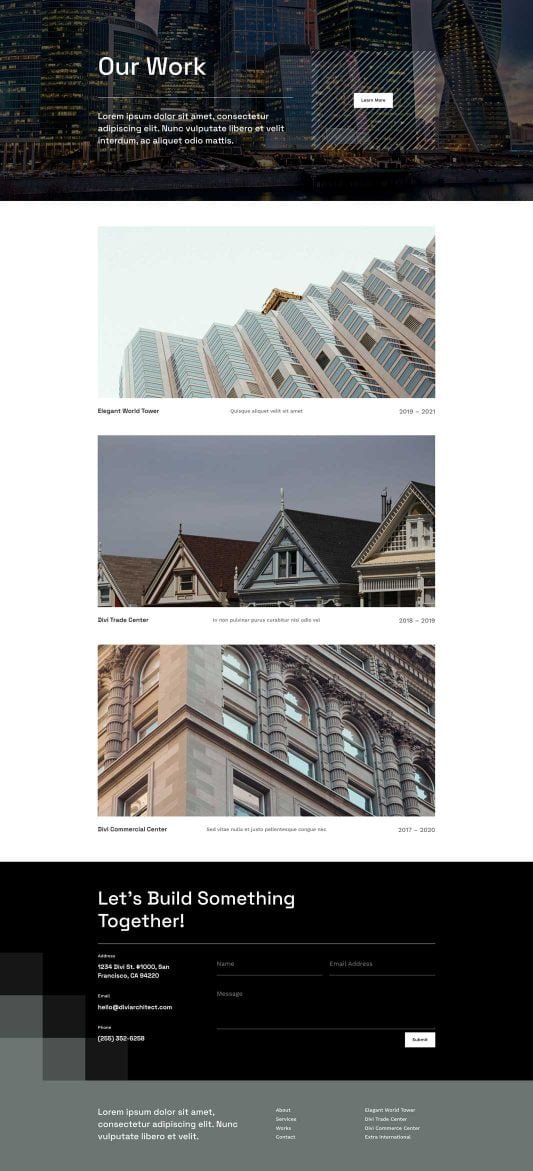
What UX/UI Design Is Best for an Online Client Project Portal?
Our SEO pros will elevate your Google presence, landing you top spots for queries like “sustainable architect Melbourne” or “renovation specialist Perth.” No more fading into the background—unlock organic traffic from Canberra’s modernist buffs or the Gold Coast’s beachfront dreamers!
We’ll jazz up your social media with a creative flair on Instagram and Facebook: eye-catching renders, behind-the-scenes builds, and tips on green architecture that ignite shares and connections. It’s your chance to shine as the go-to creative force in spots like Hobart’s historic enclaves or Darwin’s tropical outposts.
Need swift project leads? Our Google Ads and Facebook Ads are architect-tuned, pinpointing Aussie developers and homeowners with clever, cost-effective campaigns that boost consultations and trim the chase—ideal for architecture hotspots in Sydney and Melbourne.
We’re your upbeat collaborators in elevation, focused on results that let you pour passion into every line and curve. Keen for a laid-back brainstorm over virtual flat whites? Head to our website—let’s blueprint your firm’s stellar rise together!


