

Table of Contents
How to Set Up Custom Conversion Events to Track Specific Menu Item Purchases
As a bagel shop owner in Melbourne’s bustling café scene, you know that understanding which menu items drive the most revenue is crucial for success. Imagine pinpointing exactly how many Everything Bagels or Cinnamon Raisin Bagels were purchased through your online orders or ads. This is where custom conversion events come into play, particularly within platforms like Meta Ads Manager (formerly Facebook). These events allow you to track specific purchases beyond generic sales data, enabling hyper-targeted advertising and optimised campaigns.
At PKRank, our Melbourne-based digital marketing firm, we’ve helped numerous local food businesses, including bagel shops, implement these setups to boost ROI. By focusing on specific menu items, you can allocate ad budgets more effectively, run retargeting campaigns for low-performers, and even personalise promotions. In this guide, we’ll walk you through the process step by step, tailored for e-commerce-enabled bagel shop websites using Meta Pixel.
Why Bagel Shops Benefit from Custom Conversion Tracking
Standard conversion tracking might show total sales, but it misses granular insights. For instance, if your Asiago Cheese Bagel is a bestseller, you want to double down on ads promoting it. Custom events reveal which items resonate with customers, informing inventory, menu tweaks, and marketing strategies. Transitioning from broad metrics to item-specific data empowers data-driven decisions.
This granularity is especially valuable in competitive markets like Melbourne, where customer preferences for artisanal bagels or vegan options can vary by suburb. By tracking these, you reduce ad waste and increase customer lifetime value through precise nurturing.
Prerequisites Before Setup
Before diving in, ensure your bagel shop website has Meta Pixel installed. This lightweight code snippet tracks user actions. You’ll also need an active Meta Business Manager account linked to your Facebook Page and Ad Account. For e-commerce functionality, integrate your site with a platform like Shopify, WooCommerce, or Squarespace that fires standard Purchase events with parameters such as content_name or content_ids.
If your site doesn’t yet send item-level data, use Google Tag Manager (GTM) to configure event firing on thank-you pages post-purchase. Test Pixel events in Meta Events Manager to confirm they’re active. With these foundations, you’re ready to create custom conversions.
Step by Step Guide to Setting Up Custom Events
Now, let’s get into the actionable steps. Follow this numbered process to set up custom conversion events for specific bagel purchases, like tracking only orders of your signature Lox and Cream Cheese Bagel combo.
- Access Events Manager: Log into Meta Business Suite, navigate to Events Manager, and select your Pixel. Verify standard events like Purchase are firing with parameters (e.g., value, currency, contents).
- Define Your Custom Event Rule: In Events Manager, click “Custom Conversions” > “Create Custom Conversion.” Choose the Purchase event as the base.
- Set Matching Conditions: Use rules to filter specifics. For example, under “Event Parameters,” select “content_name” contains “Everything Bagel” or “content_ids” equals your bagel SKU. Combine with URL rules if needed, like page URL contains “/thankyou?item=lox-bagel.”
- Assign a Category and Value: Categorise as “Purchase” for optimisation. Enable “Value” to track revenue from that item, using the Purchase event’s value parameter.
- Name and Save: Give it a clear name like “Everything Bagel Purchase.” Add a description for your team. Test by triggering a sample purchase on your site.
- Use in Ads Manager: Head to Ads Manager, create a campaign, and select your new custom conversion as the optimisation event. Monitor performance in reports.
These steps typically take under 30 minutes, but allow 24 hours for data aggregation. Once live, monitor for discrepancies between Pixel and server events.
Example Parameters for Bagel Shop Purchases
To illustrate how data structures look for custom tracking, here’s a table showing sample Purchase event payloads for different menu items. Use these in your GTM or code snippets.
| Menu Item | Event Name | Content IDs | Value (AUD) | Currency | Parameter Rule for Custom Conversion |
|---|---|---|---|---|---|
| Everything Bagel | Purchase | bagel_001 | 4.50 | AUD | content_ids contains “bagel_001” |
| Cinnamon Raisin Bagel | Purchase | bagel_002 | 4.20 | AUD | content_name contains “Cinnamon Raisin” |
| Lox Bagel Combo | Purchase | combo_001 | 12.99 | AUD | content_ids equals “combo_001” |
| Vegan Plain Bagel | Purchase | bagel_vegan | 5.00 | AUD | content_name contains “Vegan Plain” |
This table highlights how unique identifiers enable precise filtering. Adapt SKUs to your inventory system for seamless integration.
Testing Verification and Best Practices
After setup, use Meta’s Test Events tool to simulate purchases and confirm your custom conversion triggers. Compare data against order logs for accuracy. As campaigns run, A/B test ad creatives tied to top-performing bagels.
Pro tip: Combine with lookalike audiences based on high-value purchases. Regularly review privacy compliance, especially with iOS updates affecting tracking. If issues arise, tools like Pixel Helper Chrome extension provide diagnostics.
Scaling this setup unlocks advanced strategies, such as dynamic ads showcasing underperforming items to past buyers. With PKRank’s expertise, Melbourne bagel shops can elevate their digital presence effortlessly.
In summary, implementing custom conversion events transforms vague sales data into actionable insights, directly fuelling growth for your bagel business. Start today to see measurable uplift in ad efficiency and customer engagement. Contact PKRank for personalised support in Melbourne—we’re here to rank your bagel shop higher.
Empower Your Bagel Shop with PKRank’s Tailored Digital Solutions
Hey there, dough dynamo! Whipping up chewy bagels and fresh schmears in Australia’s vibrant foodie scene is a delight, but luring in those hungry crowds? That’s the real rise-and-shine challenge.
At PKRank, we’re all about sprinkling digital marketing magic that’s fun, fuss-free, and flavor-packed for bagel bosses like you—whether you’re toasting classics in Sydney’s multicultural markets, innovating flavors in Melbourne’s cafe crawl, or slinging stacks in Brisbane’s brunch hotspots.
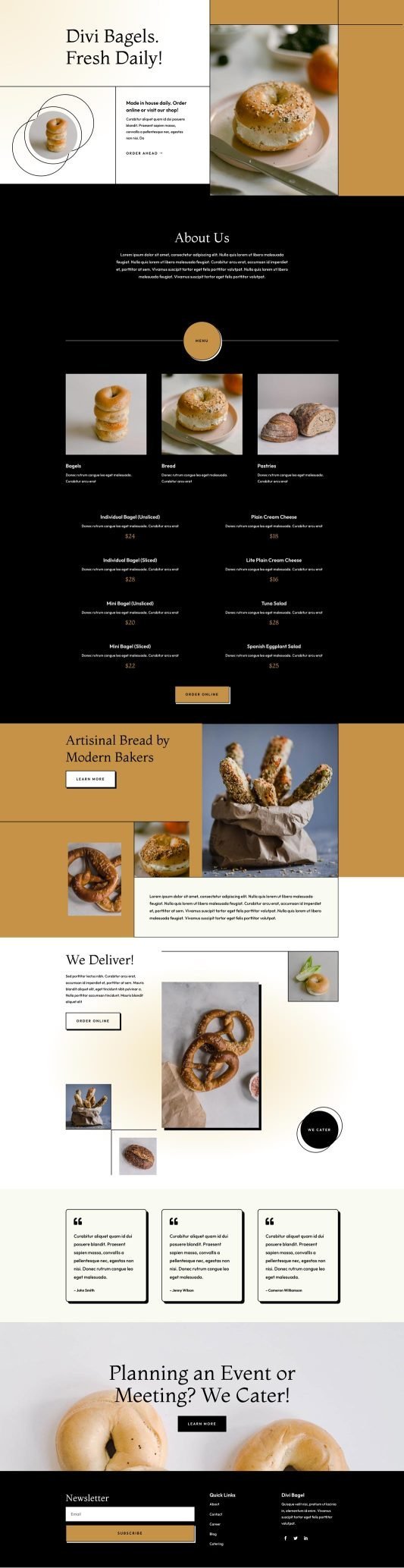
Picture a deliciously designed website baked fresh for your shop, with mouthwatering photo menus of everything bagels, lox-loaded beauties, or vegan twists, plus online ordering and loyalty perks. We’ll keep it crumb-free and mobile-munchable, so foodies from Perth’s fusion eateries to Adelaide’s artisan alleys can grab a bite virtually anytime.
Bagel Shop Website Demo
How to Set Up Custom Conversion Events to Track Specific Menu Item Purchases?
Our SEO bakers will knead your Google spot to the top, ensuring you’re the first crave for “best bagels Melbourne” or “bagel delivery Perth.” No more getting buried in the bread aisle—pull in organic foot traffic from Canberra’s coffee chasers or the Gold Coast’s surf-and-smear seekers!
We’ll glaze your social media with tasty vibes on Instagram and Facebook: steamy fresh-out-of-the-oven shots, pairing polls, and customer cream-cheese confessions that spread like wildfire. It’s your way to become the neighborhood nibble in areas from Hobart’s harbor hangs to Darwin’s tropical treats.
Craving quicker queues? Our Google Ads and Facebook Ads are precisely portioned, targeting Aussie appetite alerts with budget-bite setups that boost orders and nix the no-shows—tailor-made for bagel buzz in Sydney and Melbourne.
We’re your sweet sidekicks in sales, all about results that let you focus on the perfect boil. Up for a chat over virtual bagels? Swing by our website—let’s dough this and turn your shop into a breakfast blockbuster together!
Last Updated on March 21, 2026 by PKRank


